Table of Contents
The Artwork Group Explorer displays a list of Artwork Groups and is visible in the explorer menus when artwork is enabled for the company.
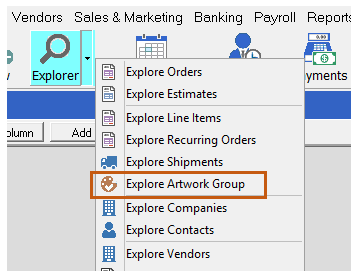
Click Explorer > Explore Artwork Group
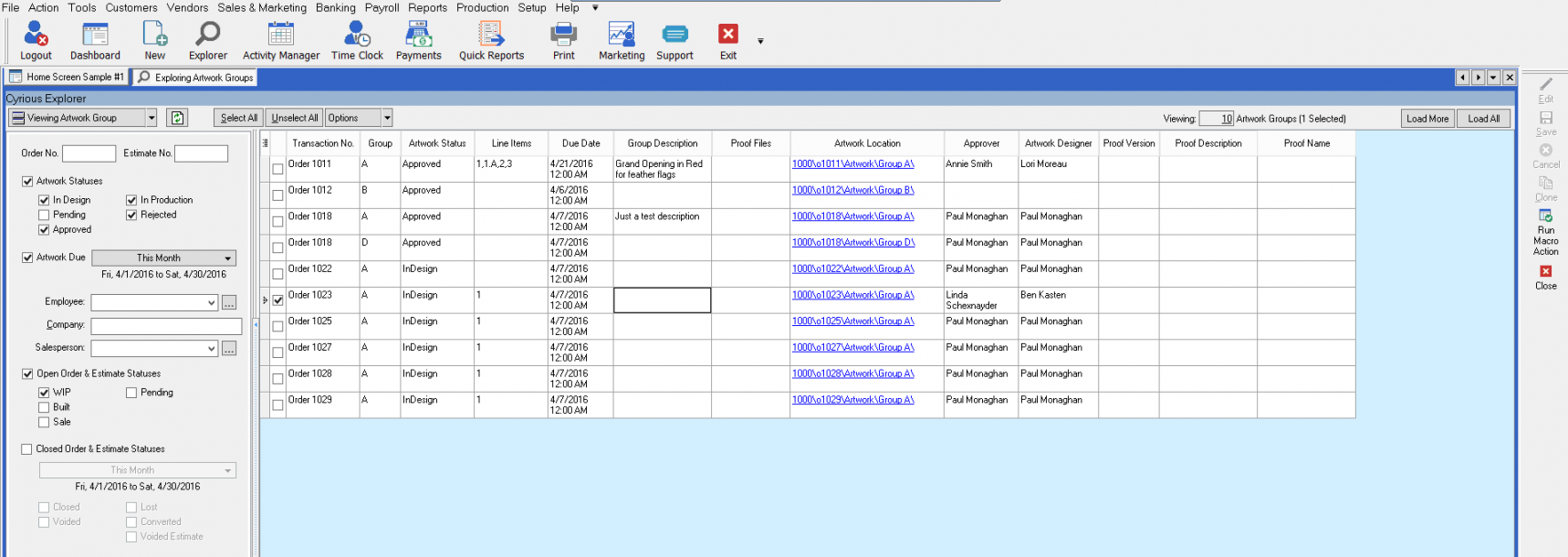
Here's an example of what the Artwork Group Explorer will look like:
Basic Search and Filter Criteria
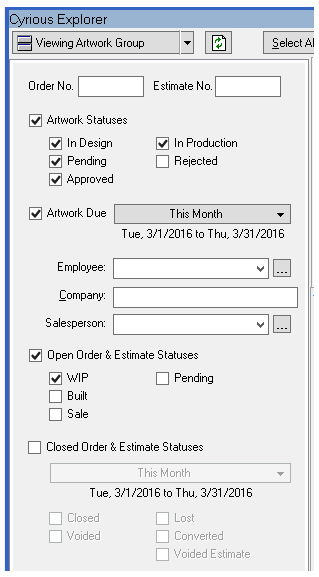
The following search and filter criteria are available in the basic explorer search panel:

Artwork Group Explorer Columns
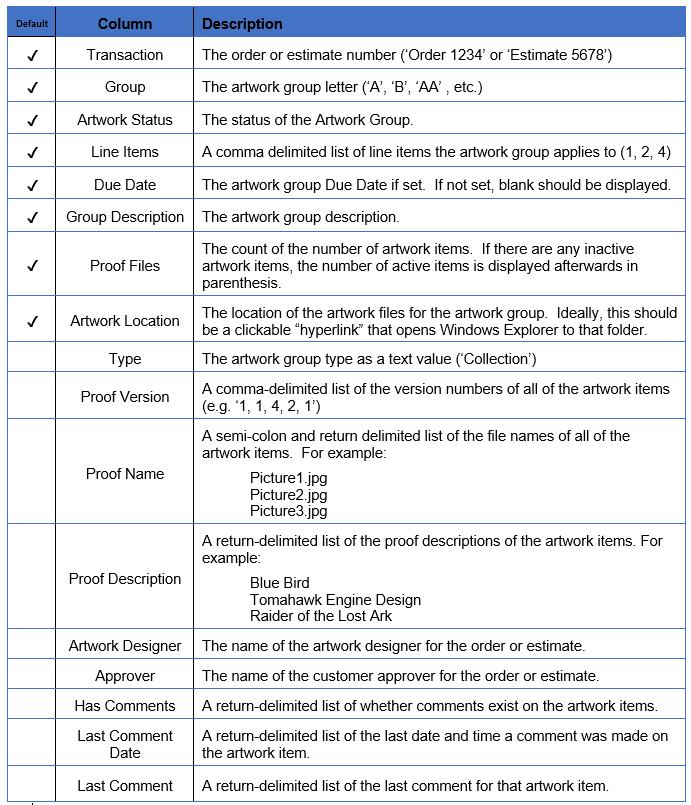
The Artwork Group Explorer column chooser shows the following columns. The checked columns are shown by default.
One of the conceptual differences between the Artwork Group explorer and most other Explorers is how it handles child Artwork Items (and their Proof Files). The creation of sub-explorers for Artwork Items and Proof Files would introduce a level of nesting that most users would find confusing and unhelpful. Further, it would clutter the screen with 2 (or 3) Explorers for artwork.
In the Artwork Group explorer, Artwork Items are displayed within the artwork group line. If there are multiple artwork items in a group, then the value from all Artwork Items is displayed together on a multi-line row. For example, if an Artwork Group had two Artwork Items (and corresponding Proof Files), the column for “File Name” would be displayed as:
Picture1.jpg;
Picture2.jpg;
Picture3.jpg
The explorer row height is automatically set to accommodate the number of proof files if any of the artwork item or proof information is displayed.
Artwork Group Right-Click Options
Right-clicking on an Artwork Group in Explorer displays an action menu specific to the artwork group selected.
Here's a view of the default right click options menu:
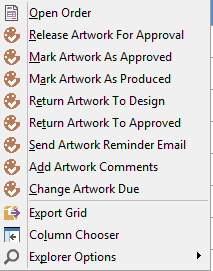
The actions that are available for the artwork are dependent upon the following factors:
- That current status of the artwork.
- The band of the artwork.
- The statuses enabled in artwork setup.
- The user and her/his security rights.
- The status of the order or estimate.
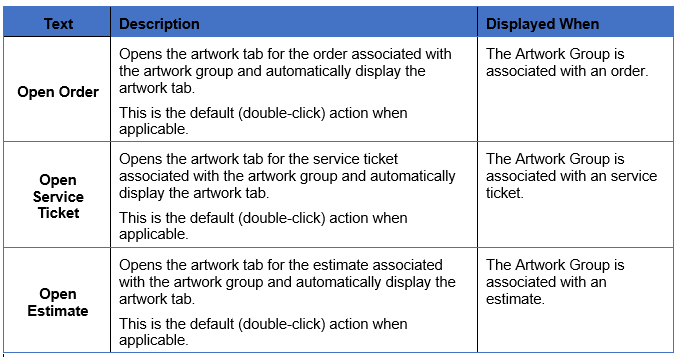
In addition to the standard actions for artwork groups, the following actions are also included in the right-click pop-up menu.
Artwork Group Super & Sub Explorer Usage
The Artwork Group Explorer may be used as a super-explorer to the following types of sub-explorers:
- Order
- Estimate
- Line Item
- Service Ticket
- Account (Company)
- Contact
The Artwork Group Explorer may be used as a sub-explorer to the following types of super-explorers:
- Order
- Estimate
- Line Item
- Service Ticket
- Account (Company)
- Contact
Artwork Group Advanced Explorer Options
The Advanced Artwork Group Explorer supports custom queries. The following artwork categories and criteria are supported:

Changes to Existing Explorers
In addition to the inclusion of a new Artwork Explorer, several existing explorers have been tweaked to reflect new features in the artwork approval system.
Order / Estimate Explorer
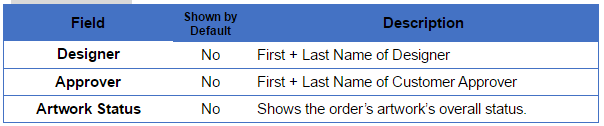
The order and estimate explorers have the following new columns. None of these columns are enabled by default.
Line Item Explorer
The order and estimate explorers have the following new columns. None of these columns are enabled by default.

Company Explorer
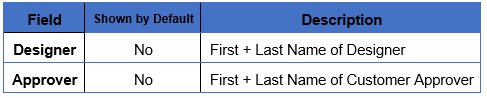
The company explorer has the following new columns. None of these columns are enabled by default.
Source
Contributor: Cyrious Software
Date: 04/01/2016
Version: Control 05.7