Table of Contents
All proof files are organized into Artwork Groups. An order can have zero or more artwork groups. All artwork in an artwork group is acted on (approved or rejected) by the customer together.
An artwork group:
- contains zero or more Proof files.
- is associated with one order or service ticket.
- is associated with one or more line items for that order.
- is tied into files in the Document Management folder for each order.
There can be multiple artwork groups in an order, but a line item can only be associated with one artwork group.
Here's an example of an Artwork Group in Control:
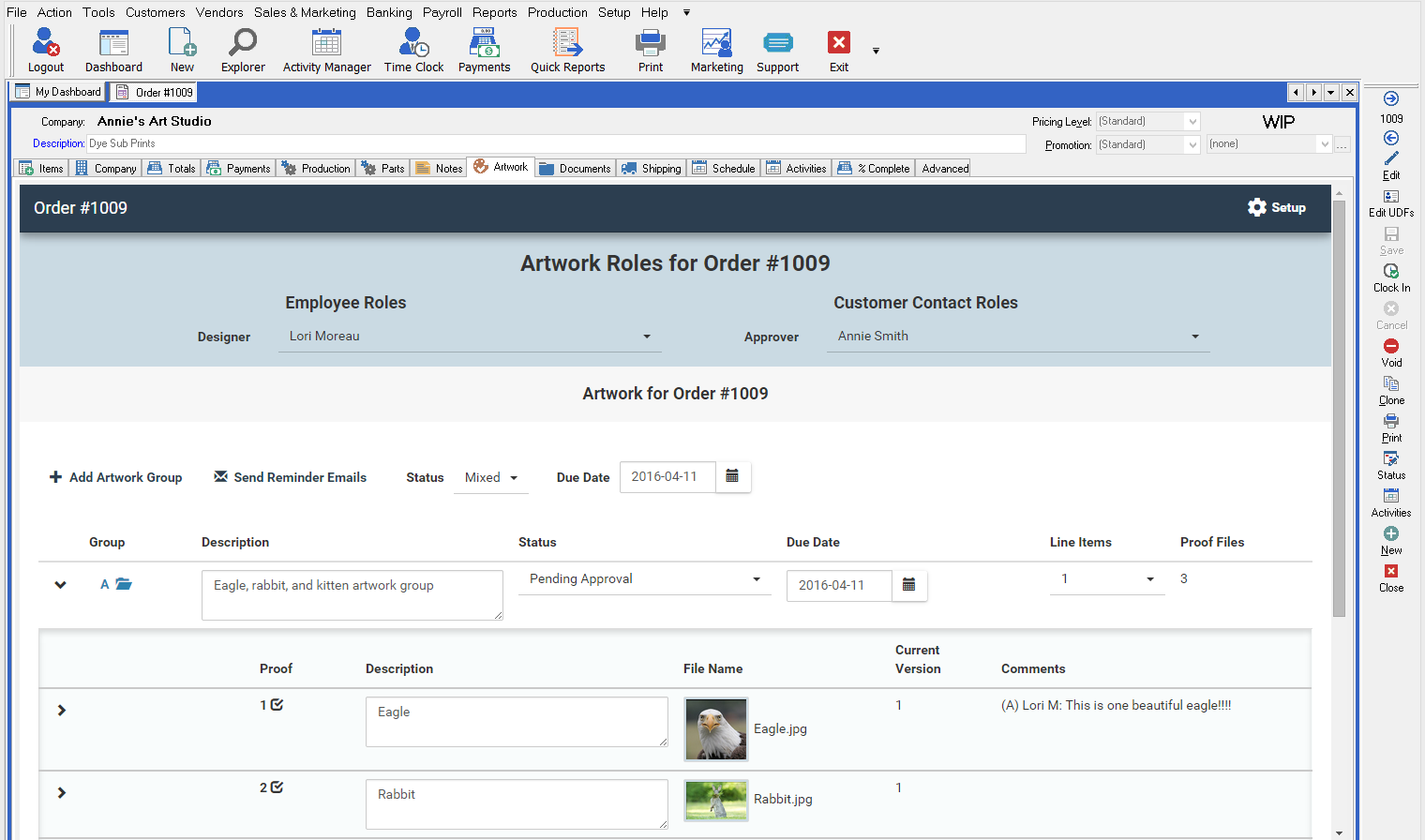
Artwork Group Creation
An Artwork Group can be linked to a line item or to multiple line items; however, a line item can only be linked to one Artwork Group.
The designer/project manager can designate which line items go with which artwork on the order's Artwork tab. Each Artwork Group has a multi-select drop down that allows it to be linked to any of the line items.

For new orders and estimates, there are three options which affect how artwork groups are automatically created for each order. If you aren't sure which one to choose, don't worry - you can change these on-the-fly for orders.
- Don't Create Artwork Groups by Default. With this option, all line items start out without artwork enabled for them.
- One Artwork Group for the Order. With this option, all line item start out using the same artwork group (..Artwork/Group A/).
- One Artwork Group per Line Item. With this option, all line items start out with their own artwork group (../Artwork/Group A/ for line 1, ../Artwork/Group B/ for line 2, ../Artwork/Group AA/ for line 27, ../Artwork/Group AB/ for line 28, etc.).
Regardless of the option in effect, you may create new groups and combine line items at any time.
Notes on Child Line Items
Normally, newly created child line items will use the artwork group of their parent line item when they are created. Specifically, child line items use the following steps to determine their artwork group:
- If the product is set to “Default Artwork Group Blank”, no artwork group is set.
- If the parent line item has an artwork group, that artwork group is used.
- If the parent line item has no artwork group, the child will have no artwork group.
Artwork Groups, once set, are not automatically adjusted by Control when/if the line items are moved around. Neither promoting a child item nor moving it under a different parent item will automatically change the Artwork Group. If the artwork group needs to be changed after line item creation, it must be done manually by the user.
Proof Files
Proof Files consist of individual image files shown to the customer. They may be of any size, but large proofs are automatically scaled down to lower resolutions for display on the customer's screen and within Control. The higher resolution image can still be accessed by the customer and downloaded or opened in another browser window.
To use the Artwork Approval feature, copy the file to the document management \Proof folder for the Artwork Group it belongs to.
The following file types are supported:
- JPG
- PNG
- BMP
If a PDF file with the same name as the artwork file is present in the artwork folder, Control assumes this is a high-resolution version of the same file. A link to download the PDF is shown to the approver so that they can download and zoom into the high-resolution version. 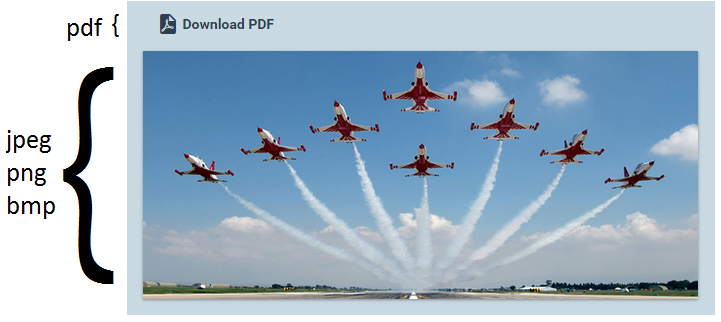
Multiple Files in Artwork Groups
Artwork Groups may have more than one artwork file in them. In this case, the artwork group will be designated as an:
- Artwork Collection - This option indicates that ALL the artwork items represent the final image and are approved or rejected collectively.
- Example: If an artwork collection has 4 Proof Files, customers must decide on one action for all files. They cannot reject some files and approve others.
The default option for all artwork groups is to make them Artwork Collections.
An Artwork Group with multiple proof files: 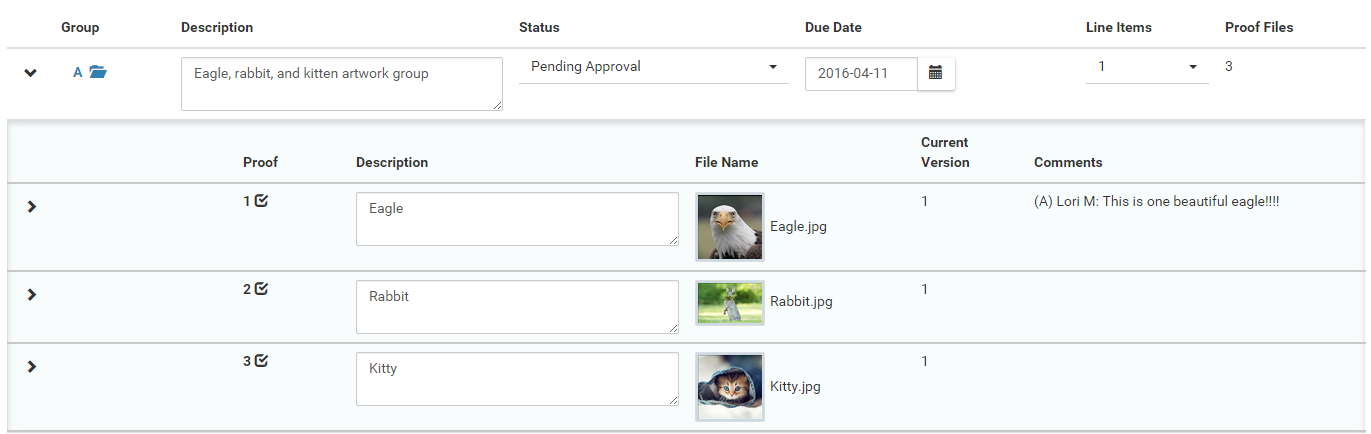
Document Management Artwork Folders
Proof Files are stored in the order's Document Management folders under the path:
{Order DM}/Artwork/Group {ArtGroup}/Proof
where {Order DM} is the document management folder for the order, and {ArtGroup} is the name of the artwork group the image file is in. An order may have multiple artwork groups, resulting in multiple
“Group” folders under the Artwork Folder as in:
/Artwork/GroupA/Proof /Artwork/GroupB/Proof … /Artwork/GroupAA/Proof /Artwork/GroupAB/Proof
The Artwork folder will be automatically created when the order is created if artwork approval is enabled. The group folders may be manually created (such as by the designer) or will be automatically created when the artwork group is created in Control. Here's a view of the Document Management folders for the Artwork Group shown above: 
Cloning Estimates and Orders
When estimates and orders are cloned, artwork is handled using the following rules:
- All active artwork groups are cloned. Inactive artwork groups are not cloned.
- All Artwork Groups not in a Rejected status are reset to the In Design status.
- The proof files (and other files) are not copied to the new order.
Cloning Line Items
When line items are cloned, artwork is handled using the following rules:
- Cloned line items will use the same artwork group as the line item they are cloned from.
- A cloned line item without an Artwork Group assigned will also have no Artwork Group assigned.
Source
Contributor: Cyrious Software
Date: 08/10/2016
Version: Control 05.7