Table of Contents
This page will describe the steps to add or edit Shipping Methods and Carriers for use with the Shipping Tab feature. You can also view training videos outlining this feature on the customer website; log into www.cyrioussoftware.com and click Training on the main menu, then 3. Basic Training on the submenu.
Concept
When using the Shipping Tab to create shipments for Orders, users may need to add or edit shipping methods. Some standard carriers and shipping services are included, but it's likely that there are others that need to be added.
Cautions
No known cautions at this time.
Steps
- Go to Setup>System Setup>Orders, Estimates, and Service Tickets>Shipping Methods/Carriers to view the ones that are currently set up.
- To add a new Carrier, click New on the Action toolbar to the right. Fill in the Carrier Name, a short description if desired, any shipping services that carrier provides, and any standard package sizes that might be used by that carrier. Click Save to save your changes.
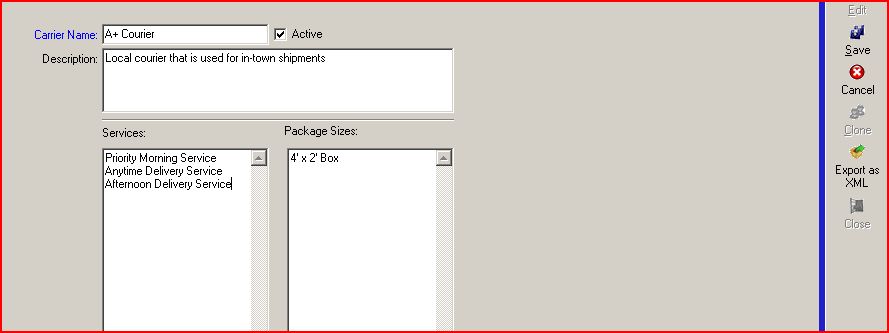
- To edit an existing carrier's information, select the desired carrier and then click Edit on the Action toolbar to the right. Make the desired changes, then click Save to save your changes.
Source
Contributor: Tisha White, Cyrious Software
Date: 7/18/2011
Version: Control 4.5.1107.2101 and later