Introduction
This page is to assist users getting setup using the RemoteApp desktop connections for Cyrious when working in Windows 8.
Steps for Setup
- Press your Windows key to bring up your Start Screen
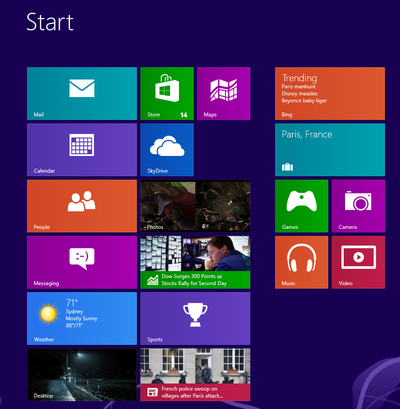
- Type remoteapp and the Start Screen will show you the available options. You will need to go into the “Settings” section on the right side of the screen and then click on “Access RemoteApp and desktops”, as shown in the picture below.

- Type in the the following information::
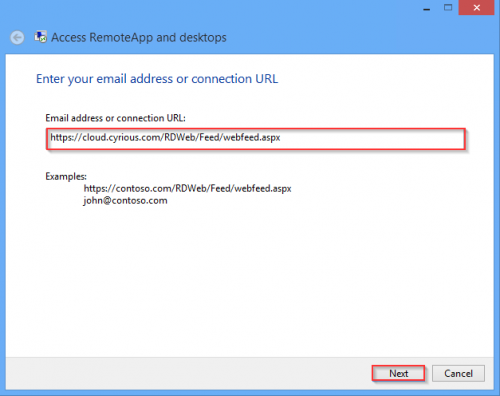
- A2Z Cloud Users: https://cloud.cyrious.com/RDWeb/Feed/webfeed.aspx
- Click Next to proceed
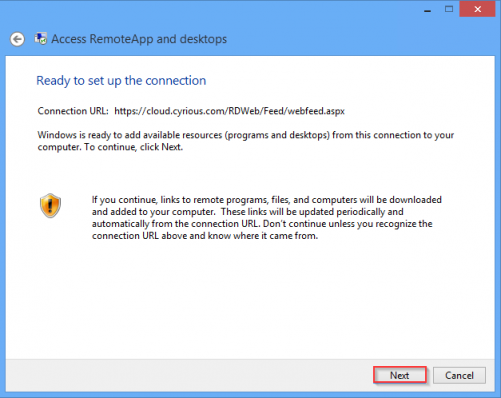
- You will then receive a screen letting you know you are ready to set up the connection. Click Next to proceed
- Next, Windows will prompt you to enter your credentials that are used to connect to the server. These are the same credentials that you currently use when you access the apps via the web page.
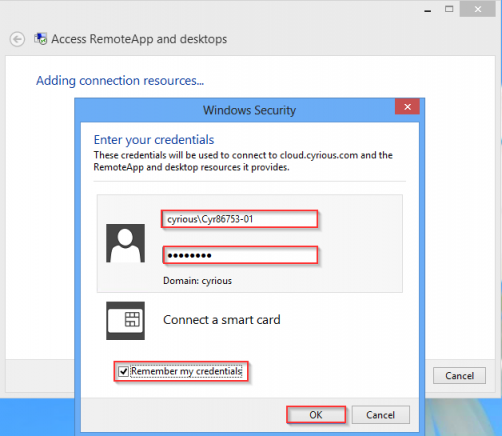
- Fill out the username, including the domain - Example: cyrious\Cyr86753-01
- Fill in your password
- Check the box for “Remember my credentials”
- Click OK to proceed
- As long as your credentials were correct, you should now see a screen letting you know that everything has been set up successfully. Click Finish to proceed
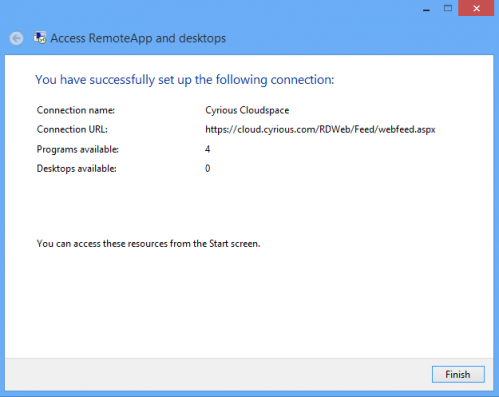
- These programs will now be available to you from your Start Screen.
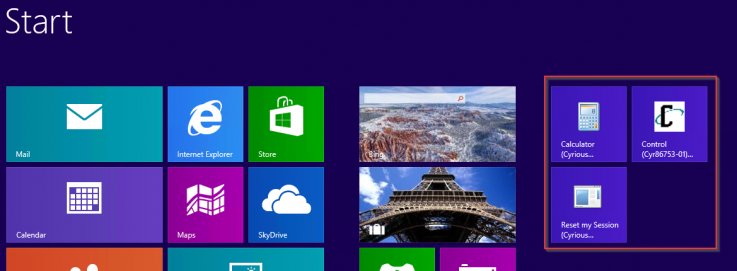
- Press your Windows key, and type cyrious. This will show you all the shortcuts that were just added. You may use them from here, or copy them to your desktop if you prefer that method.
Additional Setup
To copy the shortcuts to your desktop: Right click on one of the new app links > Click “Open File Location” at the bottom of your screen > Copy any shortcuts you desire from that folder to your desktop
Steps to Connect
- When you go to use the link you may receive a prompt asking if you trust the publisher of the RemoteApp program.
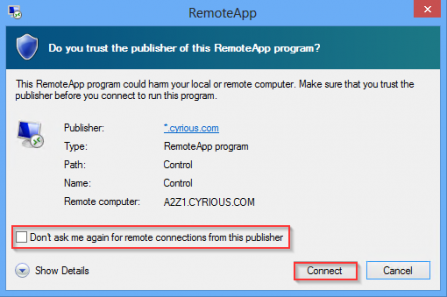
- Click the checkbox for “Don't ask me again for remote connections from this publisher”
- Click Connect to proceed
- Windows Security will then ask you to enter the credentials needed to connect to the server. These are the same credentials that you used in Step 5.
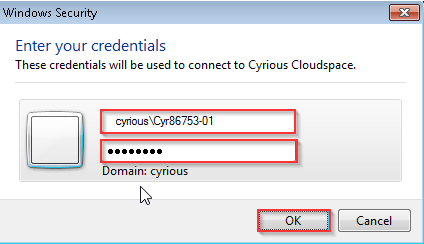
- Fill out the username, including the domain - Example: cyrious\Cyr86753-01
- Fill in your password
- Click OK to proceed
- Control will then begin its loading process

See Also