Table of Contents
Overview
As with any business, for various reasons it may be necessary to give money back to a customer. This can be done in two ways in Control - voids and refunds. Although some users may think of voids and refunds as interchangeable, there are differences between them.
Voids:
- 1-3 business days to take affect
- Used when the original payment HAS NOT been settled yet
Refunds:
- 3-5 business days to take affect
- Used when the original payment HAS already been settled
The good news is that you don't need to remember the difference between Voids and Refunds. Control will first try to void a payment and if the void cannot be successfully executed, a follow-up refund is automatically attempted.
Voiding Payments
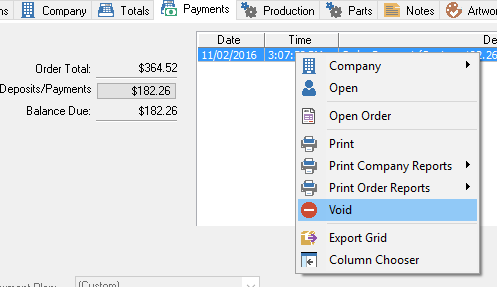
A payment void in Control 6.0 has not changed from previous versions of Control. You can void a payment by following these steps:
- Right click on the payment and select Void
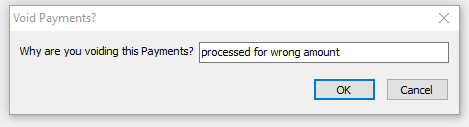
- You'll be prompted to enter in a reason for the void. Enter in the reason and click OK.
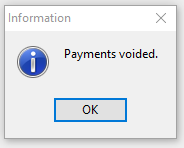
- You'll then be notified that the payment was voided.
Refunding Payments
Order Refunds
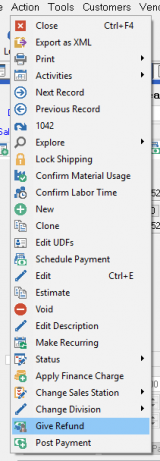
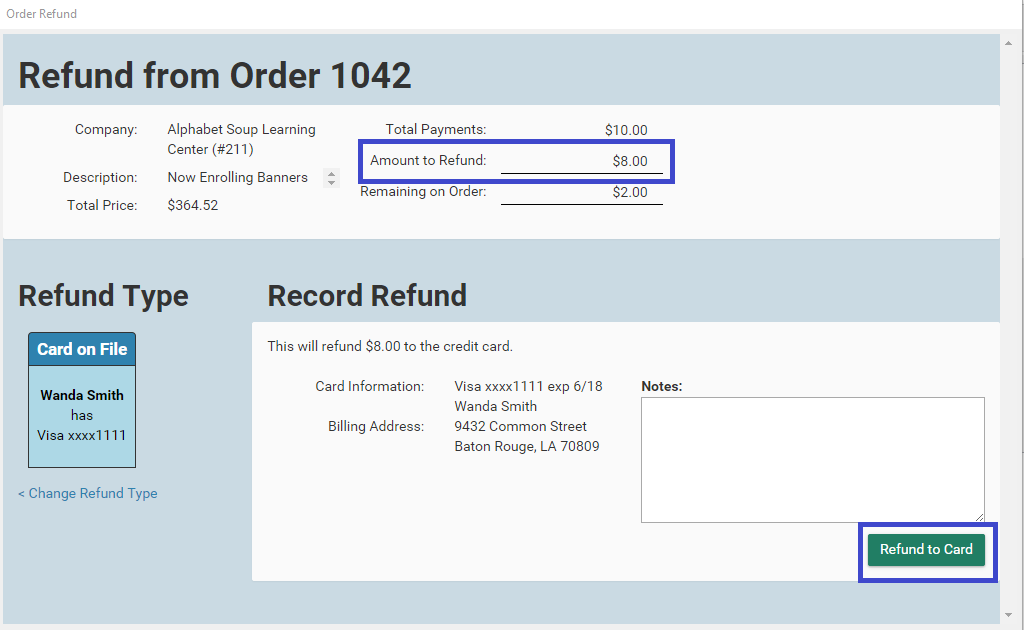
To refund an order,
- Open the order
- Click Action > Give Refund
- Enter the Amount to Refund
- Select your payment method
- Post the payment as usual
Credit Refunds
To refund customer credit,
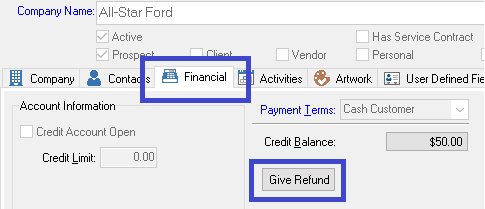
- Open the company record
- Go to the Financial tab
- Click the Give Refund button
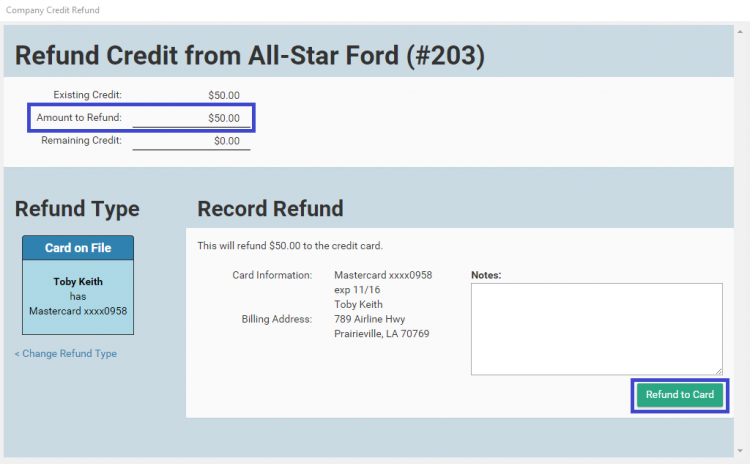
- Enter the Amount to Refund
- Select your payment method
- Post the payment as usual
Next Step: Proceed to the Other Changes wiki
Source
Contributor: Cyrious Software
Date: 11/01/2016
Version: Control 06.00