Table of Contents
There is one known problems with using some swipe/scanner/reader in a Remote Desktop/Terminal Server environment. It is a problem with keyboard emulators in general. If the swipe is too fast (much faster than a person can type), then the order of the keys may get mangled when being transmitted from the local computer to the remote computer.
This is due to a feature (bug?) in the way windows keyboard messaging works. When you type the string “%aC”, Windows actually does this:
Unfortunately, messages actually get handled differently in Windows than the key presses and this caused problem when sent from RDP. What the computer will can receive is …
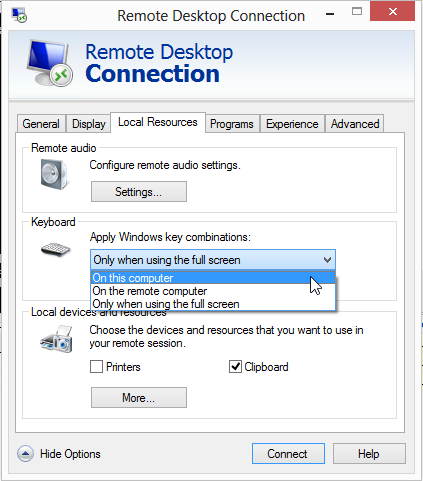
The received message is translated as “5ac” rather than %aB. There is a work-around in RDC when you are using full-screen, but it does alter some other keyboard behavior so it is best to have a slower swipe to avoid this problem.
Solution
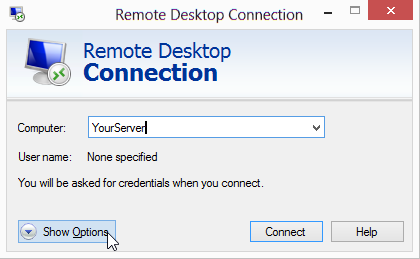
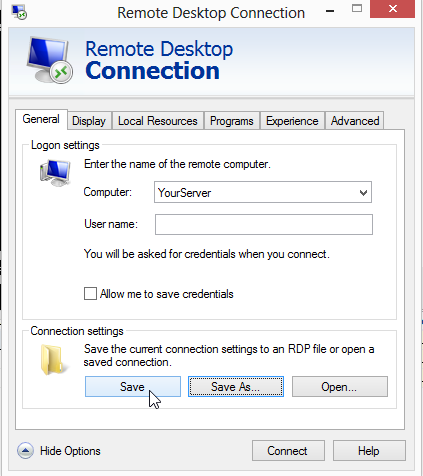
Remote Desktop Settings allow you to change the way keystrokes are combined. To change this,
Side Effects
This change tells Windows to process the different keys on the local computer and then send key strokes up to Remote server. For all standard keys this works fine. However, “special keys” like Control-Tab, Windows-R, and other combination keys do not have a “representation” that can be sent. They are only handled as key-combinations. Therefore, when this option is enabled these special keys will not work. There is no known work-around for this, but most typical users do not use these keys anyway.
Source
Contributor: Cyrious Software
Date: 9/2013
Version: Control 4.0+