Table of Contents
{$page}
The changes made to Control will allow multiple credit cards accounts to be processed within Elavon. This way, a company can use multiple merchants with Control.
Credit Card Setup Screen
Generally with different divisions, lines of business, or businesses operating in multiple countries there is a need to support multiple credit card processors. In order to do this, several changes in the credit card processing were made:
- Multiple Payment Processors are supported.
- Each payment method can be tied to only 1 processor (merchant account).
- Other payment processors besides Elavon are removed.
- The Capital Q and NxGen Canada logos are also being added to the screen.
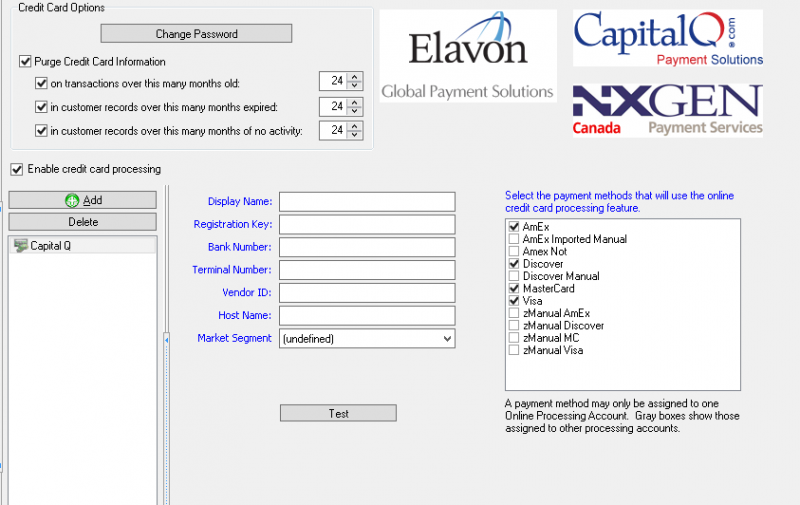
- The Display Name is used to provide a friendly name for the processor.
- All fields are required.
- Payment methods that are tied to a different processor may not be selected.
- When in Edit mode, all processors may be added, deleted, or modified.
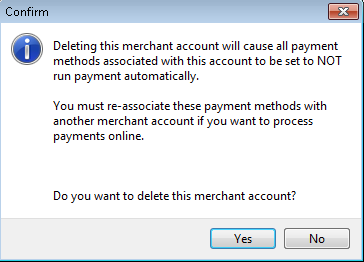
When deleting a merchant account, the user will be prompted if any payment methods are tied to that merchant account, as shown below:
Payment Method Setup Screen
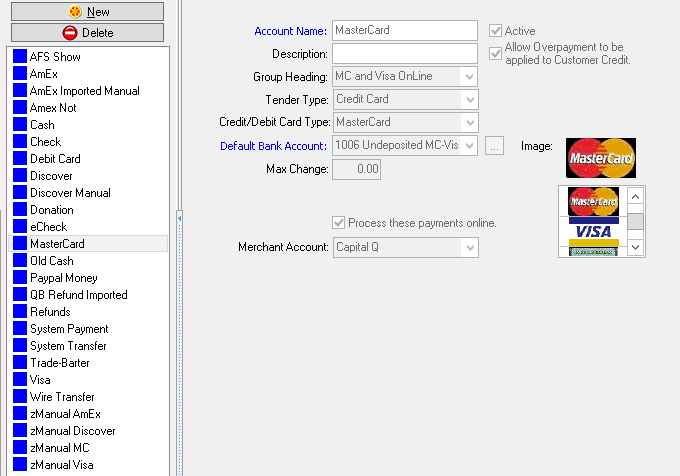
The payment setup screen has the following modifications:
- The Checkbox to enable online processing for this method is moved and the text has changed.
- If online processing is selected, a drop down of merchant accounts is shown. If there is only 1 merchant account, it should be automatically displayed and not selectable.
Payment Entry Screen
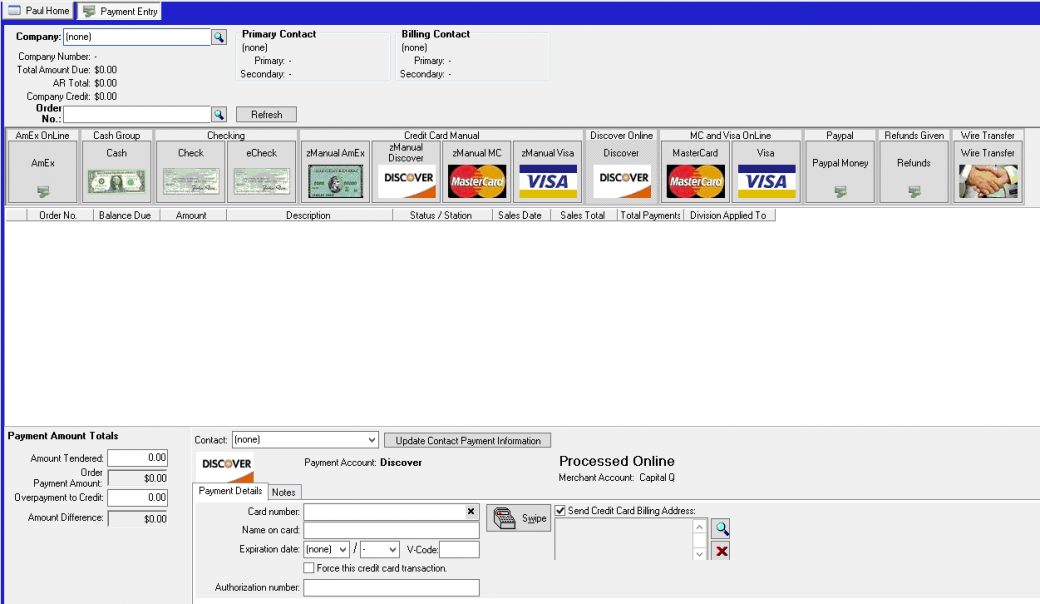
On the multi-payment screen, the primary change is the use of the Group Headings to organize the payment methods. The Group Names are now arranged alphabetically, and the payment methods arranged alphabetically within them.
The Merchant Account for the selected payment method is also displayed on the screen.
See Also
- Backlinks include_pagepage_componentbacklinks