Table of Contents
Derived Product Setup
Derived Product setup is similar to standard Product Setup, but greatly simplified.
Derived products are set up in product setup. They are displayed at the root product level or under a product category the same way standard products are displayed in the product tree and are searchable by name from the drop-down list above it. They have a unique icon that identifies them as a derived product.
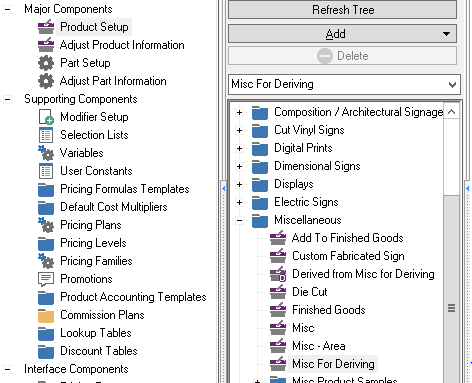
The setup screen for derived products is similar to other tabbed product entries. The initial tabs are:
- Variables - to setup overridden variables
- Modifiers - to setup overridden modifiers
- Advanced - for pricing and all other setup
The name, base product, active status, product category, and derived product notes are found on the common header above all tabs.
Variables Tab
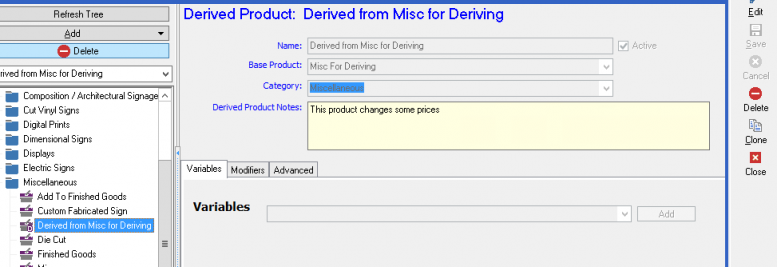
The Variables tab contains a list of the variables that are overridden. Each overridden variable has an appropriate input box based on its data type.
- Each overridden variable must have a value. Blank values are not allowed.
- When a new product is derived, its overridden variables are initially listed alphabetically, but adding in additional variables will not insert them alphabetically during setup.
- New variables from the base product may be added by selecting the variable at the bottom and clicking the Add button.
- The variables in the drop-down are restricted to variables present in the base product.
Additional detail on How to override variables is presented here
Modifiers Tab
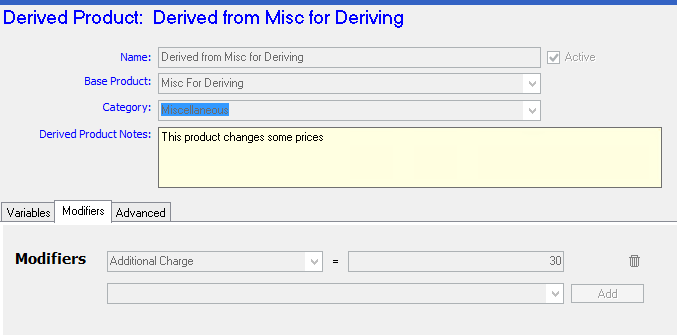
- Each overridden modifier must have a value. Blank values are not allowed.
- Overridden modifiers should initially be listed alphabetically, but do not need to be resorted during setup.
- New modifiers from the base product may be added by selecting the combo box at the bottom and clicking the Add button. Focus should then be transferred to the value setting for that modifier.
Advanced Tab
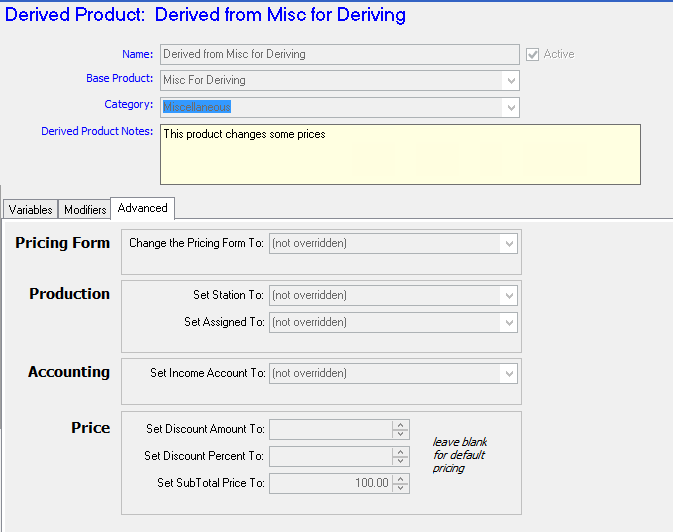
The Advanced tab contains a catch-all of other options for Derived Products. These include:
- Pricing Form - The pricing form of a derived product may be different than that of its base product. The drop-down next to the entry should contain a list of all the active pricing forms in the system. A blank or NULL value is used to indicate that the base product's pricing form should be used.
- Station - The derived product can override the default station of the base product. The drop-down should contain the list of all active stations. A blank or NULL value is used to indicate that the base product's default station should be used.
- Assigned To - The derived product can set the default Assigned To user. The drop-down should contain the list of all active employees that can be assigned to. A blank or NULL value is used to indicate to leave the assigned to unset.
- Income Account - The derived product can override the income account of the base product. The drop-down should contain the list of all active income accounts. A blank or NULL value is used to indicate that the base product's default GL account should be used.
- Discount Amount ($ or %) - The derived product can override the discount amount or percent of the base product by setting these values. These values are mutually exclusive - only one can be entered. If a value is entered in one field, it should be automatically blanked in the other. A blank or NULL value is used to indicate that these values are not overridden by the base product.
- Subtotal Price - The derived product can override the subtotal price by setting these values. A blank or NULL value is used to indicate that these values are not overridden by the base product.
See Also
- Backlinks include_pagepage_componentbacklinks