Explanation
WAPIC is a service self-hosted alongside CHAPI which allows the user to perform queries on their Control Data through an HTTP restful API.
Request Test System
- Navigating to ../wapic/home/index.html at the WAPIC address will display the Request Test System page.
- This page allows the user to create requests in a “fiddler”-like web page and submit them to the wapic server as well as receiving the responses back. Click for more info on Fiddler .
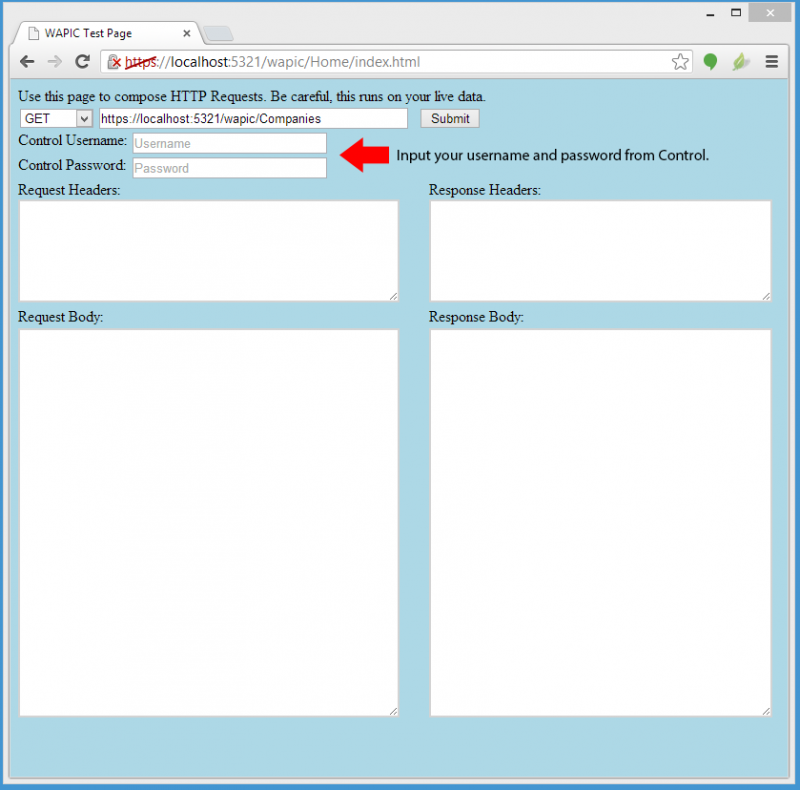
The HTTP method can be selected from
- GET
- PUT
- POST
- DELETE
The URL text box will have a default value, but your wapic host address should be entered here (e.g. https:{some ip address or machinename}}/wapic/{Entity Type}) The acceptable entity types are: * AddressLinks * Addresses * CalendarActivities * Calendars * Companies * CompanyAddressLinks * CompanyAddresses * CompanyPhoneNumbers * ContactAddressLinks * ContactAddresses * ContactPhoneNumbers * Contacts * EmployeeAddressLinks * EmployeeAddresses * Employees * EstimateLineItems * EstimateVariations * Estimates * InventoryItems * ModifierCategories * ModifierDefinitions * ModifierPartLinks * OrderActivities * OrderLineItems * Orders * PartCategories * PartDefinitions * PaymentActivities * PricingPlans * ProductCategories * ProductDefinitions * ProductPartLinks * ProductionActivities * SelectionListCategories * SelectionListItems * SelectionLists * ShipmentDetails * Shipments * ShippingMethods * TransMods * TransParts * TransVariables * UDFValues * UDFs * ValidUnits * Variables * VariationLineItems * Warehouses When a request for data is successful, a clientid header will be returned along with the response. The clientid will automatically be appended as a query paramater for subsequent requests. Additional query parameters can be used to filter the data that is returned from the server including: * $filter * $select * $expand * $top * $skip * $orderby Additional query parameter information roughly follows the documentation at Query Parameters ====== See Also ====== * Backlinks include_pagepage_componentbacklinks